We use cookies to make this site work. We'd also like to set optional cookies so we can understand how the site is used and improve it. We will not set optional cookies unless you accept them. You can change your choice at any time from the Cookie settings link in the footer.
Strictly necessary cookies
These cookies are required for the site to work. They store your cookie preferences and keep your session secure. They are exempt from consent under PECR Regulation 6(4) because they are essential to deliver the service you have requested.
Optional cookies
Optional cookies help us understand how the site is used and provide additional features such as analytics, accessibility tools and translation. We will only set them if you accept.

Hildenborough & Tonbridge Medical Group
Anima Patient Guide
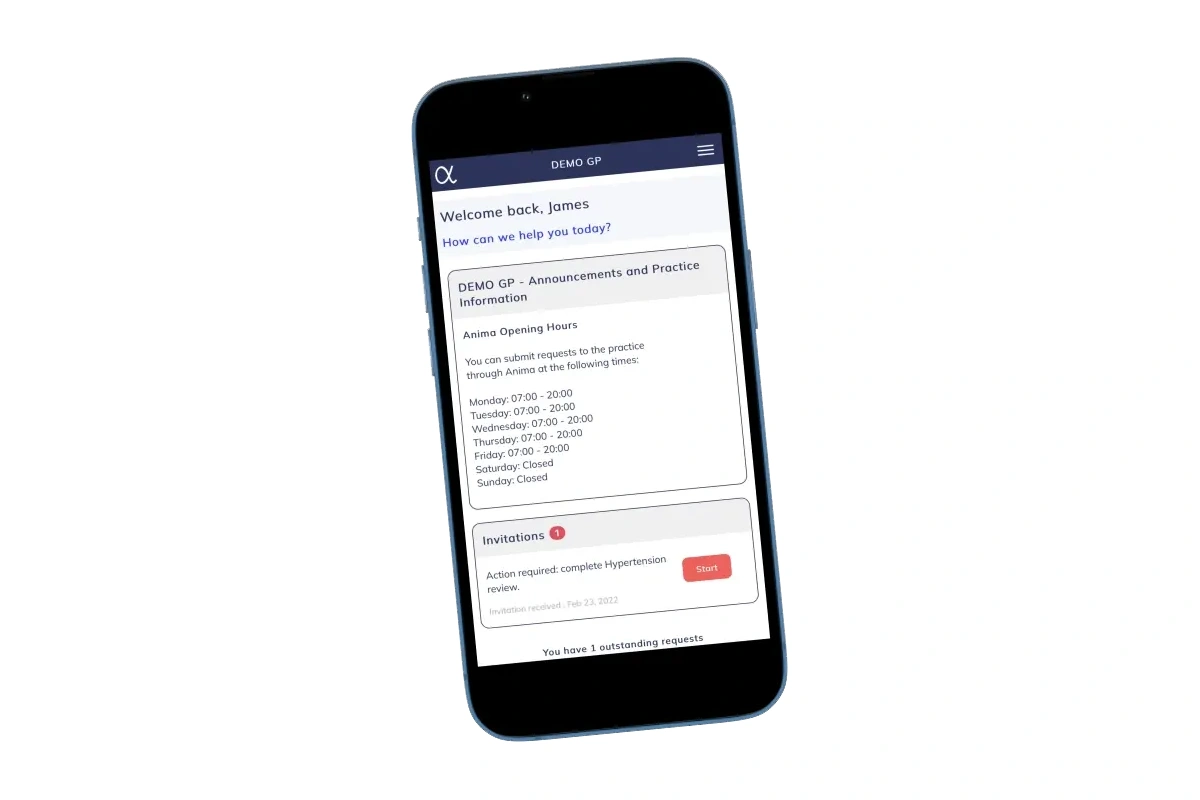
What is Anima?
Anima is an online consultation system. It allows you to:
- Contact the practice about a medical or administrative issue
- Ask questions or request advice
- Send information securely without needing to phone
When should I use Anima?
- Medical problems that are not emergencies
- Medication queries
- Sick notes (fit notes)
- Administrative requests (letters, forms, referrals)
Please do not use Anima for emergencies. If you have chest pain, severe shortness of breath, signs of stroke, or another emergency, call 999.
How do I send an Anima?
- Log in using your email & the password that you created when registering
- Choose whether your issue is medical or administrative
- Answer the questions with as much detail as possible
- Add photos if requested (e.g. rashes, wounds). Do not send photos of intimate areas
- Submit your request
The more details you share, the quicker the practice can help you
What happens after I send an Anima?
Every medical Anima we received is reviewed by the Duty GP
- The outcome will depend on the information provided so give as much accurate detail as possible
- You may receive:
- Advice
- A prescription
- A message asking for more information
- An appointment (phone, video, or face-to-face)
- A referral to an appropriate service
- Response times vary depending on demand and urgency - we aim to respond to urgent problems on the same day
Please keep your phone to hand as you will be contacted by telephone call, text message, NHS App, or through Anima
How to send an Anima for a family member
If you need to submit an Anima for a child (under 16 years):
- After logging in, choose the option to add or manage dependents (this may appear as “Add a child” or “Add dependent”)
- Enter your child’s details and save them to your account
- Once added, you will be able to select your child’s name when sending a new Anima
If you need to submit an Anima for an adult (16 years and over) who is unable to use Anima:
- After logging in yourself, please send an Anima Admin Request to the Surgery advising that you would like ‘<name of adult>’ and their ‘<date of birth>’ to be added as a dependent on your Anima Requests.
Tips for using Anima
- Submit one issue per request where possible
- Keep your contact details up to date
- Use Anima early in the day if possible, ideally between 7.30am and 09.00am
If you have an urgent problem
- Please make provisional arrangements in case you are advised to attend at short notice
- There may not be a choice of which local surgery has an available urgent appointment
If you do not have online access
If you do not have access to the internet/computer/smartphone and need assistance to send an Anima:
- Speak to a Care Navigator in person or by telephone
- They will not be able to book an appointment but will advise you what options are available to you